Skip to content
SX Sistemas
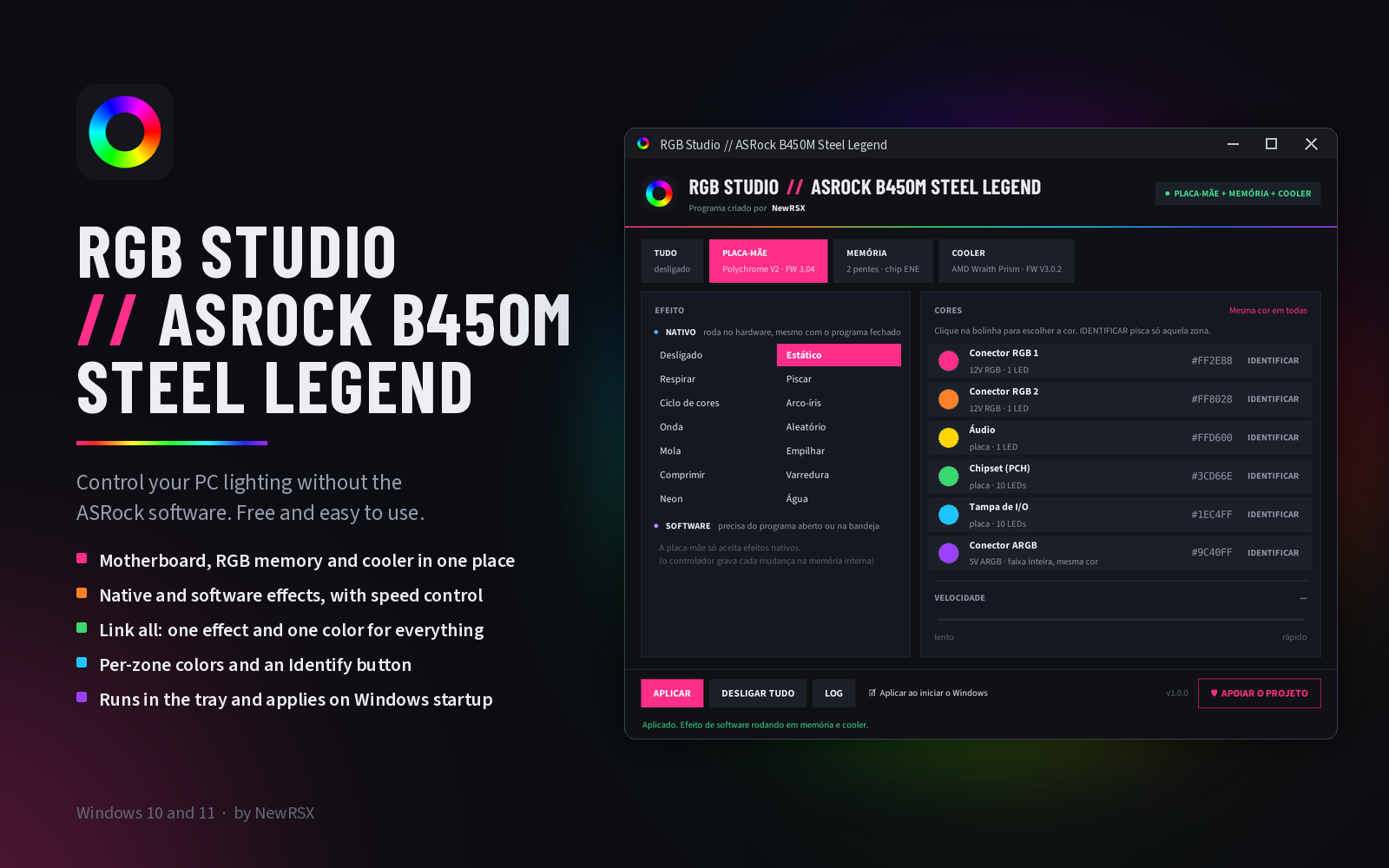
RGB Studio // ASRock B450M Steel Legend, a program to control motherboard, RGB memory and cooler lighting on Windows, showing the per-zone color screen.

Program image not found.
assets/img/programas/rgb-studio-asrock-b450m-steel-legend-en.png

RGB Studio // ASRock B450M Steel Legend

RGB lighting control for the ASRock B450M Steel Legend motherboard. Free and easy to use.

Free

ASRock's official lighting software doesn't always work, and each PC part ends up with a different program.

RGB Studio brings motherboard, RGB memory and cooler together in one window: pick the effect and colors, then click Apply.

Version
1.0.0
Installer date
Developer
NewRSX
System
Windows 10 and 11 (64-bit)
Languages
Installer in Portuguese and English; program interface in Portuguese
License
Free

If Windows shows a security warning when opening it, click “More info” and then “Run anyway”. The program asks for administrator permission when opened, because it needs to access the motherboard lighting controller.

What you can do with RGB Studio

All your PC lights, in one place.

  • Motherboard, memory and cooler together

    Each part found gets its own tab; anything not compatible simply doesn't show up.

  • Per-zone colors

    RGB headers 1 and 2, audio, chipset, I/O cover and ARGB header on the board; each memory stick; cooler logo, fan and ring.

  • Native effects

    The hardware's own effects (breathing, color cycle, rainbow, wave and more), with speed control. They keep running with the program closed.

  • Software effects

    Flowing rainbow, comet, color wave, gradient and alternating breathing, calculated by the program and synced between memory and cooler.

  • Link all

    One effect and one color for every device at once, with a resync button.

  • Identify

    Blinks only the chosen zone, so you can see where it is in your PC.

  • Tray and startup

    Stays as an icon near the clock and reapplies your colors when you log into Windows.

  • Any fan or strip on the board headers

    Anything plugged into the board's RGB/ARGB headers works, from any brand.

How it works

Three steps to give your PC your colors.

  1. Install

    The installer also installs the PawnIO driver, needed to talk to the motherboard and memory.

  2. Choose

    Open the device tab (or TUDO / All), pick the effect and colors.

  3. Apply

    Click Apply. Check “Apply on Windows startup” to have your colors restored automatically.

Requirements

What you need to install and use RGB Studio.

  • Windows 10 or 11 (64-bit)
  • ASRock B450M Steel Legend motherboard
  • Administrator permission to open the program and to install the PawnIO driver (the program itself installs without administrator rights)
  • Optional: RGB memory with an ENE chip (XPG Spectrix, G.Skill Trident Z RGB, T-Force and others)
  • Optional: AMD Wraith Prism cooler with its USB cable plugged into the board

Questions about RGB Studio

Common questions about the lighting control program.

Does it work with my memory?

It works with RGB memory that uses the ENE chip, such as XPG Spectrix, G.Skill Trident Z RGB and T-Force. Corsair Vengeance RGB, Kingston Fury / HyperX and Crucial Ballistix are not supported yet.

What about my cooler?

Coolers and fans plugged into the board's RGB/ARGB headers work with any brand. Coolers with their own USB controller: for now, only the AMD Wraith Prism.

Do I need to keep the program open?

Not for native effects: they run in the hardware. For software effects, yes, but it can stay as a tray icon.

Why does it ask for administrator rights?

The board and memory lights sit on an internal PC bus (SMBus) that Windows only opens to programs with administrator permission. Access goes through the signed PawnIO driver.

Is it safe?

The program only talks to the LED chips, at fixed addresses and with commands checked before sending. The memory configuration chips are never accessed.

Does it work on another ASRock board?

This version was built and tested for the B450M Steel Legend. Other boards will come as new programs in the RGB Studio line.

Can I use it together with Polychrome Sync?

Not recommended. Two lighting programs at the same time fight for control; uninstall Polychrome Sync first.

What's new in version 1.0.0

First release: control of the ASRock B450M Steel Legend motherboard (Polychrome V2), RGB memory with the ENE chip and the AMD Wraith Prism cooler, native and software effects, link all, Identify button, tray icon and automatic apply on Windows startup.