Skip to content
SX Sistemas
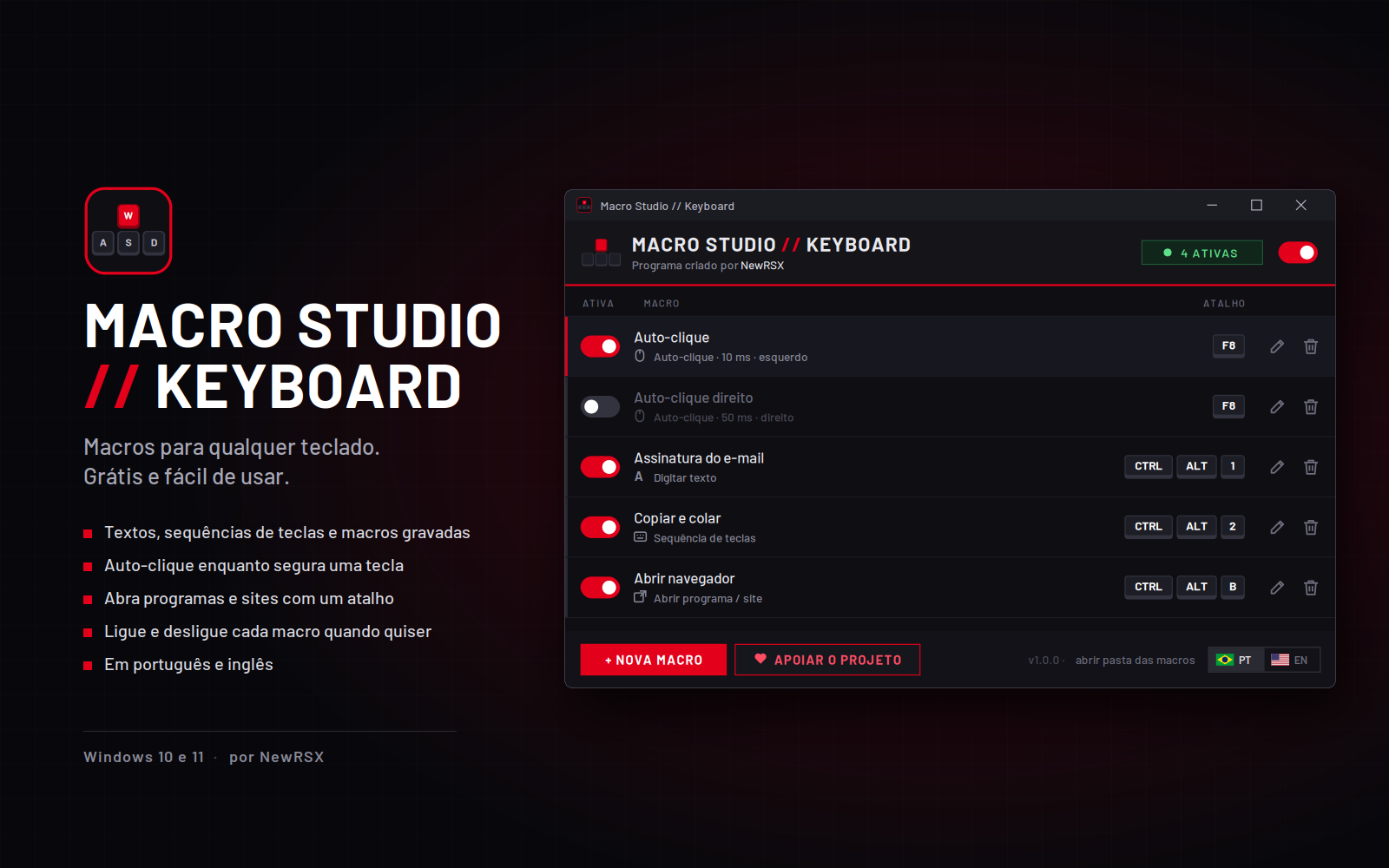
Macro Studio keyboard macro software: main screen with the macro list, shortcuts and on/off toggles

Program image not found.
assets/img/programas/macro-studio-keyboard.png

Macro Studio // Keyboard

Free keyboard macro software for Windows

Free

Macro Studio creates macros on any keyboard, without the manufacturer's software. Bind a shortcut to a ready-made text, a key sequence, auto-click while you hold a key, or opening an app or website, and turn each macro on or off whenever you want.

It was born to replace the official software of a discontinued keyboard and became a tool that works with any model, from gaming keyboards to regular office ones.

Version
1.2.0
Installer date
Developer
NewRSX
System
Windows 10 and 11
Languages
Portuguese and English
License
Free

If Windows shows a security warning when opening it, click “More info” and then “Run anyway”.

What you can do with Macro Studio Keyboard

Keyboard macros for gaming, work and repetitive everyday tasks.

  • Text with one shortcut

    Email signatures, canned replies and any text you type over and over.

  • Key sequences

    Record combinations and commands and repeat them with a single key.

  • Auto-click

    Automatic left or right clicks while you hold a key, with adjustable interval.

  • Open apps and websites

    One shortcut to open the program, folder or website you use most.

  • Toggle each macro

    Turn on only the macros you need right now, or switch them all off at once.

  • Any keyboard

    Works with gaming or regular keyboards, no manufacturer software needed.

Questions about Macro Studio Keyboard

Common questions about the keyboard macro software.

Is Macro Studio Keyboard free?

Yes. Macro Studio Keyboard is free to download and use. If you'd like, you can support the developer through the link next to the download button.

Does it work with any keyboard?

Yes. Macros are created in software, so they work with any keyboard connected to your computer, from any brand, from gaming keyboards to regular office ones.

Do I need the keyboard manufacturer's software?

No. Macro Studio works on its own. It was actually created to replace the official software of a discontinued keyboard.

What kinds of macros can I create?

You bind a keyboard shortcut to a canned text, a key sequence, auto-click, or opening an app, folder or website.

How does auto-click work?

While you hold the shortcut key, the program clicks the left or right mouse button for you at the interval you set. When you release the key, the clicking stops.

Can I turn a macro off without deleting it?

Yes. Each macro has its own on/off toggle, and you can also switch all macros off at once.

Which Windows versions does it support?

Windows 10 and Windows 11.

Is the program available in English?

Yes. Macro Studio Keyboard is available in English and Portuguese, and you can switch languages inside the program.

Why does Windows show a warning during install?

Windows shows this warning for programs that don't have a paid digital signature yet. Click “More info” and then “Run anyway” to continue.